
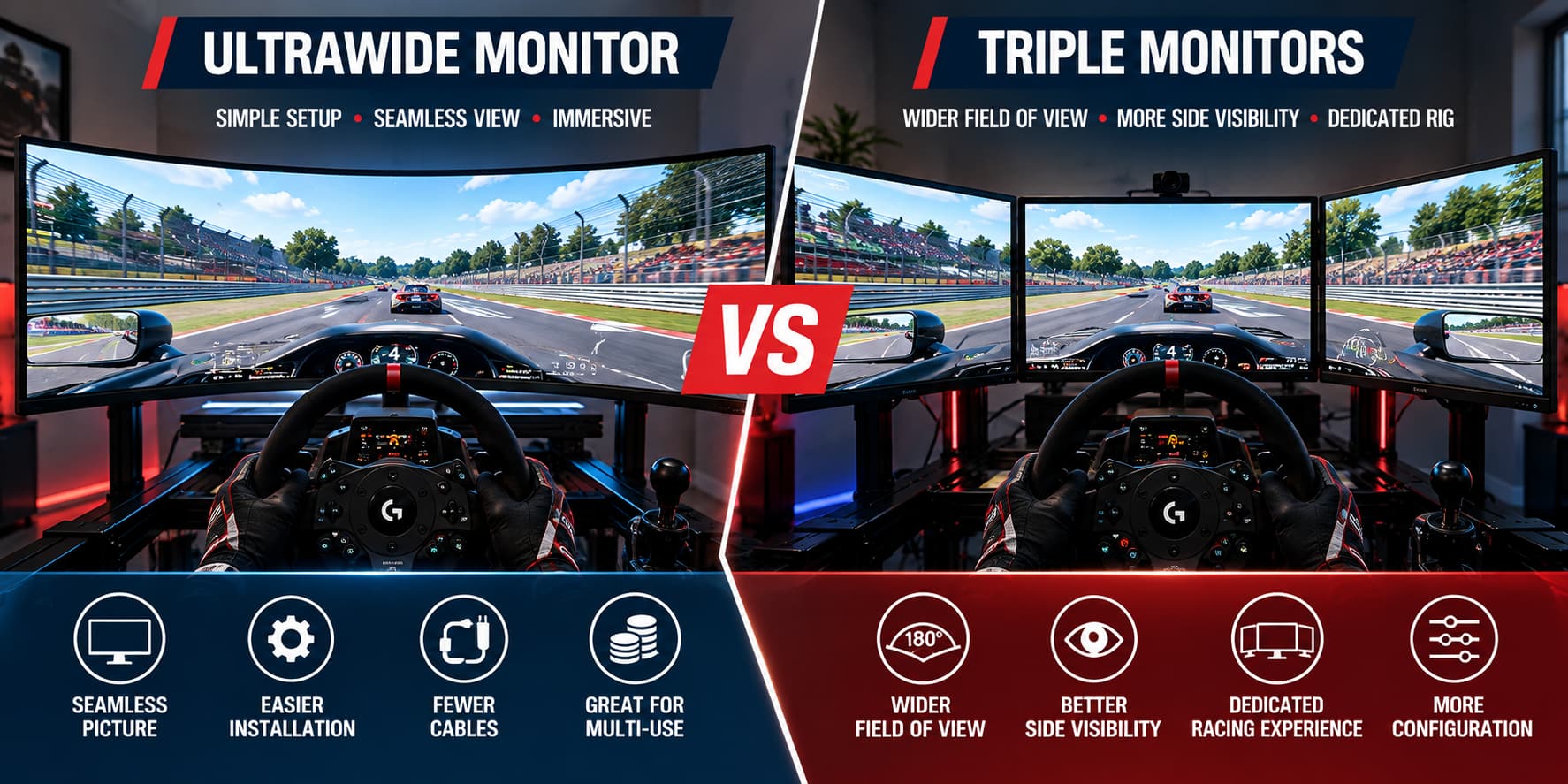
Ultrawide vs Triple Monitors: Quick Comparison
| Factor | Ultrawide | Triple Monitors |
|---|---|---|
| Field of View | Wide, seamless front view | Potentially greater side coverage |
| Bezels | No internal screen joins | Two visible panel boundaries |
| Installation | Typically easier | More alignment and configuration |
| GPU Workload | Depends on native resolution | Can be higher at triple 1440p |
| Mounting | One suitable arm or stand | Stable, adjustable triple-monitor mount |
| Space | Often simpler to accommodate | Extra width and side clearance |
| Ideal User | Mixed-use or beginner setup | Dedicated sim racing cockpit |
Quick verdict: For ease of use and a bezel-free picture, choose ultrawide. For maximum potential peripheral awareness in a simulator with good multi-monitor support, consider triples.
1. How an Ultrawide Monitor Changes Sim Racing
Ultrawide displays have a wider aspect ratio than standard 16:9 monitors. Popular formats include 21:9 and the even wider 32:9 super-ultrawide format. A large curved 32:9 monitor can provide a cockpit-like field of view without having to align three independent panels.
Advantages of an Ultrawide
- Uninterrupted image: Dashboard elements and track scenery remain on a single display.
- Fewer connections: One display cable and power connection are generally easier to manage.
- More versatile desktop: Useful for general gaming and multitasking as well as racing.
- Simpler mounting: Only one display must be aligned, although large screens still require a suitable stand.
Limitations to Consider
Ultrawide does not automatically mean the widest correct physical field of view. Viewing distance, screen width, curvature, and projection settings all matter. Large premium panels can also be expensive, and some games handle nonstandard aspect ratios better than others.
2. What Triple Monitors Do Differently
Three monitors are arranged with a center screen ahead of the wheel and two side screens angled toward the driver. When the simulation supports correct three-screen geometry, this arrangement can show more of what is beside the car rather than simply stretching a single image.
Advantages of Triple Screens
- Peripheral visibility: Side screens can show cars and apexes outside a single front-facing view.
- Adjustable geometry: Angle and distance can be tuned for a fixed cockpit.
- Modularity: A damaged or outdated display can sometimes be replaced individually.
- Dedicated immersion: Especially attractive for a permanent rig used mainly for racing.
Trade-offs
Triples take more time to align, require more cables, and occupy a wider physical footprint. Matching monitor sizes, resolutions, and refresh rates simplify configuration. Panel boundaries remain visible even after adjusting bezel compensation.
3. Field of View: Which Is Better for Driving?
Field of view (FOV) depends on the physical arrangement of the screens relative to your eyes—not only the aspect ratio or a number in the game settings. A 49-inch super-ultrawide can show substantially more than a standard 16:9 display, yet three correctly angled monitors may provide a more extensive view to the left and right.
Avoid compensating for an incorrectly positioned monitor by simply pushing the FOV slider higher. Excessive settings can make objects look unusually small and distort judgments about distance.
iRacing, for example, provides configuration options for monitor size, viewing distance, bezel width, and triple-screen angles. Game capabilities vary, so verify support in your preferred simulator before purchasing a multi-monitor stand.
4. GPU Performance and Resolution
More pixels generally increase rendering work. However, total pixel count is only a rough planning tool: frame rates also depend on CPU performance, graphics settings, track details, weather, car count, and projection methods.
| Display Arrangement | Resolution | Pixels Rendered |
|---|---|---|
| 34-inch Ultrawide | 3440 × 1440 | 4.95 million |
| 49-inch Super-Ultrawide | 5120 × 1440 | 7.37 million |
| Triple 1080p | 5760 × 1080 | 6.22 million |
| Triple 1440p | 7680 × 1440 | 11.06 million |
Triple 1440p requires rendering about 50% more pixels than 5120 × 1440, but that does not establish a 50% frame-rate difference. Check game-specific benchmarks and your GPU’s display-output capabilities, especially if you expect high refresh rates.
5. Installation, Mounting, and Space
A typical ultrawide installation involves mounting one monitor, connecting it, choosing the native resolution and refresh rate, then adjusting the in-game FOV. For triple monitors, you also need to line up side-screen angles, minimize gaps, check bezel configuration, and ensure your graphics setup supports all three displays.
Measure the entire installation rather than assuming a large monitor will fit. Important factors include mount capacity, VESA pattern, clearance from the wheelbase, seat access, side-wall clearance, and eye-to-screen distance.
For cockpit design advice, see our sim racing cockpit guide and monitor stands and mounts guide.
6. Cost: Compare the Entire Setup, Not Just One Screen
There is no universal winner on cost. Three reasonably priced monitors may cost less than a premium super-ultrawide, but a triple setup also requires a suitable stand and may require more graphics performance.
- Ultrawide: Budget for one display, a compatible mount, and sufficient GPU performance.
- Triple monitors: Budget for three matching displays, an adjustable stand, additional cables, and possible GPU upgrades.
- Both: Check actual room measurements, mounting hardware, and current stock before ordering.
The following product examples illustrate the two approaches. They are not claimed to be the best current deals, and three ASUS displays would be needed for the triple-screen configuration.
7. Example Monitor Options to Compare
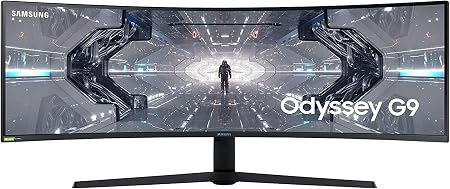
Samsung Odyssey G9 49-inch (LC49G95TSSNXZA)
- 49-inch curved screen, 32:9 format
- 5120 × 1440 Dual QHD resolution
- One continuous display for sim racing
- Confirm the exact model, VESA mount, and current listing
Paid link · ASIN B088HH6LW5 · Price and availability on Amazon
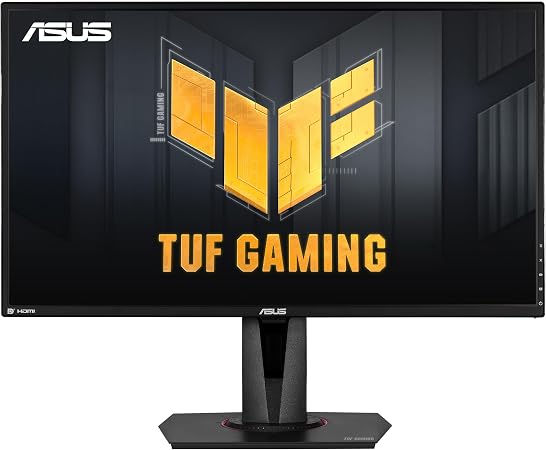
ASUS TUF Gaming VG27AQ 27-inch
- 27-inch IPS, 2560 × 1440 resolution
- Up to 165Hz refresh rate
- Three matching units can form a 7680 × 1440 setup
- Triple-monitor stand sold separately; verify availability
Paid link · ASIN B07WQ4FXY9 · One monitor per listing
8. Refresh Rate, Motion Clarity, and Display Features
Regardless of the number of screens, check refresh rate, pixel response behavior, adaptive-sync compatibility, panel contrast, and physical mounting. A 144Hz or higher monitor can provide fluid motion when your PC produces enough frames, but advertised “1ms” claims are not a substitute for independent measurements.
For triples, matching monitor models can also reduce differences in color, bezel geometry, resolution, and refresh behavior. OLED, IPS, and VA monitors have their own trade-offs; choose a panel based on verified performance and intended use rather than marketing labels alone.
9. Which Configuration Fits Your Driving Style?
Choose an Ultrawide If…
- You want an immersive, continuous image with minimal setup.
- You race on a desk or use the same PC for work and other games.
- You prefer fewer cables and a simpler mounting arrangement.
- You lack space for wide side-screen extensions.
Choose Triple Monitors If…
- You have a dedicated rig and enough side clearance.
- You prioritize seeing cars and track features in your peripheral vision.
- Your preferred simulator supports correct multi-monitor rendering.
- Your GPU and budget can support the chosen combined resolution.
10. Common Mistakes to Avoid
- Choosing on diagonal size alone: Physical width, eye distance, curvature, and FOV matter.
- Ignoring graphics load: Three 1440p displays are substantially more pixels than one 1440p ultrawide.
- Forgetting mounts: Large curved monitors and triples both need secure support.
- Mixing random displays: Different sizes or bezels complicate triple-monitor alignment.
- Assuming automatic game support: Check projection and spanning options first.
Frequently Asked Questions
Are triple monitors better than an ultrawide for sim racing?
Triple monitors can deliver broader peripheral coverage when properly positioned, while an ultrawide is usually easier to install and provides a seamless picture. The best fit depends on your simulator, available space, and preferences.
Is a 49-inch ultrawide good for sim racing?
Yes, it can be an immersive single-screen choice. Review native resolution, viewing distance, curvature, stand compatibility, and game support before buying.
Do triple monitors lower FPS?
They can, especially at high combined resolutions. Performance varies by the number of pixels rendered, game engine, settings, and hardware; it cannot be inferred precisely from pixel counts alone.
Do I need NVIDIA Surround for triples?
Not necessarily. Some sims support borderless-window or dedicated triple-screen approaches. Check your preferred simulator’s setup guide.
Can three different monitors work together?
Sometimes, but mismatched sizes, resolutions, refresh rates, and bezels can create extra configuration difficulties. Three matching models are usually more convenient.
Which is better for a small room?
An ultrawide is often easier to accommodate, but large super-ultrawides still take up significant horizontal space. Measure the exact model and the full mounting system.
Final Verdict: Ultrawide vs Triple Monitors for Sim Racing
For beginners and mixed-use gamers, an ultrawide is usually the more practical starting point. It combines a wider image with manageable installation and no internal bezel boundaries.
For dedicated sim racers who want maximum potential side visibility, a properly configured triple-screen setup may be the better investment. It demands more space, preparation, and potentially stronger graphics hardware.
Before you decide, compare native resolutions, check compatibility with the games you actually play, and calculate the entire installed cost—not simply the monitor price. For additional recommendations, explore our sim racing monitor buying guide.
Editorial note: Product models and specifications are illustrative choices for this comparison. Verify current listings, features, compatibility, and availability before purchase. No hands-on product testing is claimed in this article.

My name is David Miller, and I’m a sim racing enthusiast with a passion for realistic driving and smart, affordable setups. I started sim racing years ago with basic gear and a single monitor, and slowly upgraded to better wheels, pedals, and rigs as I learned more about car control, racecraft, and setup tuning.