Introduction
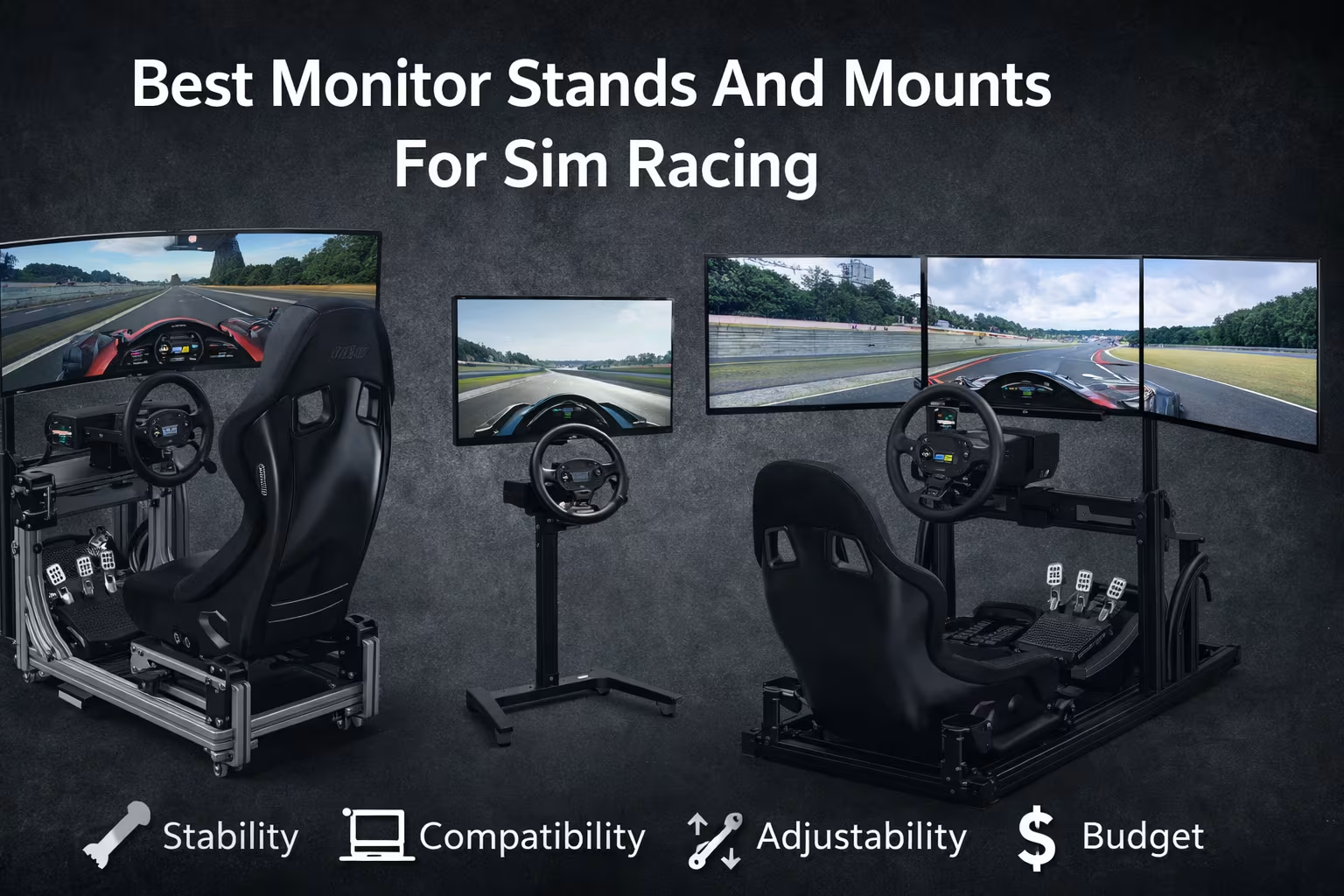
Best Monitor Stands And Mounts For Sim Racing is not just about holding a screen. It is about keeping your display stable under force-feedback vibration, setting the correct eye line for long sessions, and maintaining consistent alignment so your braking points and apex references do not “shift” mid-race. A good stand or mount improves comfort, reduces neck strain, and makes your whole rig feel more professional.
Top 5 Best Monitor Stands And Mounts For Sim Racing
This list covers the most common sim-racing setups: single monitor, ultrawide, and triple screens—plus different rig types (desk, wheel stand, and aluminum profile cockpit). Each recommendation includes what it is best at, what to watch out for, and who should buy it.
1. Best Overall: Sim-Lab Integrated Monitor Mount (for aluminum profile rigs)
Description: If you use an 8020-style aluminum profile cockpit, an integrated mount is often the cleanest, most stable solution. This style bolts directly to the rig, keeping the monitor close to the wheelbase for a strong “in-car” perspective.
Key features
- Designed for aluminum profile cockpits (rig-integrated mounting)
- Strong adjustability for height and distance (depends on cockpit layout)
- Typically supports standard VESA patterns (commonly 75×75 / 100×100)
Pros
- Excellent stability when mounted correctly
- Clean cable routing and minimal footprint
- Easy to keep the screen centered with the wheel
Cons
- Less flexible if you frequently change rigs or move your setup
- Requires a compatible cockpit and correct profile positioning
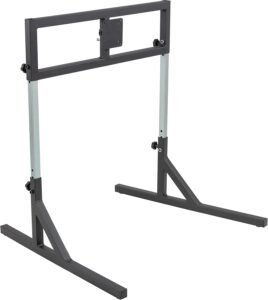
SimFab Monitor Mount Floor Stand for Racing
This single monitor stand is built for sim racing and flight sim setups, supporting VESA mounts up to 100×100 mm (M4/M5 hardware). It has been tested with a wide range of displays, from 24-inch monitors to 49-inch ultrawide curved screens, whether flat or curved. Height, tilt, and roll are adjustable for precise alignment and a better field of view. The legs are slightly splayed to fit around a cockpit frame, improving immersion. Larger TVs need the HD heavy-duty bracket.
2. Next Level Racing Free-Standing Single Monitor Stand
Description: A free-standing single monitor stand is a practical, modular choice—especially if your cockpit is not aluminum profile or if you want the monitor isolated from rig vibrations.
Key features
- Free-standing design (does not rely on cockpit structure)
- Adjustable height and distance to match different seating positions
- Common VESA compatibility for many gaming monitors
Pros
- Works with most rigs, wheel stands, and desk-based cockpits
- Easier to position without changing your cockpit frame
- Isolation can reduce vibration transfer into the monitor
Cons
- Takes extra floor space
- Must be leveled carefully to avoid tiny screen tilt over time
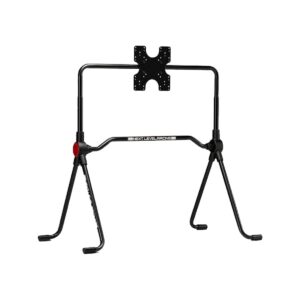
Next Level Racing Lite Free Standing Monitor Stand
NLR Lite Free Standing Monitor Stand is built for Lite Series cockpits and small spaces. It uses a minimal footprint, stays lightweight for easy transport, and improves immersion. Adjustable height and tilt help achieve the right viewing position for different racing styles. It also works as a free-standing monitor solution for other NLR cockpits.
3. VIVO Heavy-Duty Monitor Stand / Triple Monitor Stand (value option)
Description: If you want a functional setup at a lower cost, a value-focused stand can still work well—especially for lighter monitors and moderate force-feedback. The key is to prioritize rigidity, proper fasteners, and correct VESA fit.
Key features
- Broad availability and multiple configurations (single/dual/triple variants)
- VESA mounting for many standard gaming monitors
- Often easier to source quickly than niche sim brands
Pros
- Strong value for money
- Good entry point for first-time cockpit builds
- Plenty of compatible accessories (cable ties, clamps, etc.)
Cons
- Not all models are equally rigid—choose carefully
- May struggle with very large/heavy screens or aggressive vibration
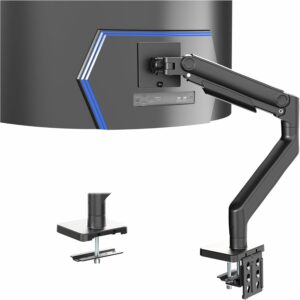
Playseat Trophy Sim Racing Cockpit
This heavy-duty ultra-wide monitor mount supports screens up to 49 inches and 44 lbs, using 75×75 mm or 100×100 mm VESA patterns. It secures to desks up to 3.2 inches thick via a strong C-clamp, with an optional grommet mount for slimmer setups. The spring-assist tension arm makes height changes smooth and effortless. Enjoy wide articulation: +50° to -20° tilt, 180° swivel, 360° rotation, and 11 inches of height travel. Built-in cable covers keep your setup clean, and the detachable VESA plate simplifies installation.
4. Ergotron HX Monitor Arm (Desk/Platform setups)
Description: If your setup is desk-based or you have a solid mounting platform, a premium monitor arm can offer excellent safety features (strong tension system, secure joints, and robust build quality). This option is best when you need smooth repositioning and reliable hold, not a freestanding sim stand.
Key features
- Heavy-duty arm design for larger monitors (model-dependent)
- Strong joints and stable positioning
- Clean ergonomics for quick repositioning
Pros
- Very stable when mounted to a solid surface
- Easy to adjust for different seating positions
- Premium build quality and long-term reliability
Cons
- Not a freestanding solution for most cockpits
- Requires a suitable desk or mounting platform
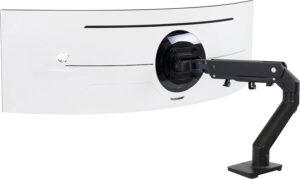
Ergotron – HX HD Premium Heavy Duty Gaming Monitor Arm, Single Monitor Desk Mount
This premium monitor arm is built for the newest ultrawide displays, supporting single screens up to 49 inches and 28–42 lbs, including models like the Samsung Odyssey G9, with 75×75 mm and 100×100 mm VESA patterns. The kit includes the arm, extension, HD pivot, mounting hardware, a two-piece desk clamp (0.4–2.6 inches), and a grommet mount. Enjoy smooth positioning with 11.5 inches of lift, up to 17.8 inches rise, 360° rotation, and 20° tilt. It frees desk space, stays stable, and is backed by a 10-year warranty and expert support.
5. Next Level Racing F-GT Monitor Stand
The Next Level Racing F-GT Monitor Stand (NLR-A006) is a rigid, adjustable display stand designed to complete an F-GT/F1GT-style sim racing setup. It supports single-screen (up to 65″) or triple-screen (up to 3×27″) configurations, with adjustable height and screen angle to help you dial in immersion and viewing position.
Key Features
- Single or triple monitor support: Start with 1 screen and upgrade to 3.
- Wide VESA compatibility: 75×75, 100×100, 200×100, 200×200, 400×200, 400×400.
- High load capacity: Up to 60 kg (132 lb) total supported screen weight.
- Adjustability: Height range for the crossbar approximately 80–115 cm, plus angle adjustment.
Pros
- Very flexible mounting options thanks to broad VESA support.
- Scales with your setup (single → triple) without changing stands.
- Strong stability potential with a high maximum supported weight.
- Useful ergonomics tuning via height and angle adjustment.
Cons
- Triple-screen sizing is oriented to 27″ panels (not ideal if you plan triple 32″ or larger).
- Large displays are effectively a single-screen use case (up to 65″).
- Assembly and fine alignment take time (common with triple-monitor stands).
- No mention of integrated wheels/casters in the standard stand specs, so moving it may be less convenient (verify with your retailer listing).
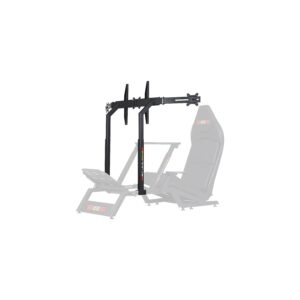
Next Level Racing F-GT Monitor Stand – Matte Black
For the most realistic driving experience, we recommend mounting your screens directly in front of your simulator cockpit to maximize immersion. The Next Level Racing F-GT Monitor Stand supports one to three displays, so you can begin with a single monitor and upgrade to triple screens as your setup evolves. It offers extensive adjustment for distance and height, letting you position your screen(s) closer or farther and higher or lower to match your seating position and preferred field of view.
Buying Guide
Choosing the right Best Monitor Stands And Mounts For Sim Racing option depends less on “brand” and more on matching your rig type, monitor size/weight, and how often you change your setup. Use the checklist below to avoid the most common mistakes.
1. Compatibility
Before you buy, confirm:
-
VESA pattern on your monitor (commonly 75×75 or 100×100)
-
Screen size and weight (especially for ultrawide and triples)
-
Whether your rig supports rig-integrated mounting or needs freestanding
Practical tip: If you plan to upgrade your monitor soon, buy for the next monitor, not the current one.
2. Build Quality
Sim racing introduces vibration, repeated adjustments, and heavy use. Look for:
-
Thick steel or robust aluminum construction
-
Strong joints and minimal flex under light pushing
-
Quality fasteners and secure VESA plate contact
Practical tip: Even a good stand can feel “bad” if assembled loosely. Re-check all bolts after a few days of driving.
3. Adjustability
The best stand is the one you can dial in precisely:
-
Height: eye line should be near the upper-middle of the screen for most seating positions
-
Distance: closer screens improve immersion, but you must keep enough space for the wheelbase and hands
-
Tilt: small tilt adjustments prevent glare and neck strain
Practical tip: If you share the rig with someone else, prioritize quick, repeatable adjustments.
4. Space Requirements
Triples and freestanding stands can dominate a room. Measure:
-
Total width for triples (including monitor edges and angles)
-
Depth needed so the stand does not interfere with pedals or seat rails
-
Clearance for getting in/out safely
Practical tip: If your space is tight, an integrated mount (for profile rigs) can reduce footprint.
5. Features
Helpful features include:
-
Fine alignment hardware (especially for triple monitors)
-
Cable routing points to keep wires away from pedals and moving parts
-
Anti-slip feet or leveling feet (freestanding stands)
Practical tip: For triples, “fine alignment” matters more than maximum advertised weight capacity.
6. Budget
A realistic approach:
-
Entry-level: single monitor stands, lighter-duty options
-
Mid-range: more rigid freestanding stands, better adjustment
-
High-end: integrated profile mounts, premium arms/stands, triple alignment systems
Practical tip: If you race competitively, stability and alignment are worth paying for because they protect consistency.
7. Customer Reviews and Warranty
Focus on reviews that mention:
-
Flex/wobble after weeks of use
-
Ease of triple alignment
-
Missing parts or fastener quality
-
Support response for replacement pieces
Conclusion
Best Monitor Stands And Mounts For Sim Racing comes down to one priority: keeping your display perfectly stable and correctly positioned so your driving references stay consistent. If you run an aluminum profile cockpit, a rig-integrated mount is usually the cleanest, most rigid solution. If you want maximum flexibility across different rigs, a free-standing stand is the safest choice. If you race on triples, prioritize fine alignment hardware over marketing claims—because geometry and stability matter more than anything.

My name is David Miller, and I’m a sim racing enthusiast with a passion for realistic driving and smart, affordable setups. I started sim racing years ago with basic gear and a single monitor, and slowly upgraded to better wheels, pedals, and rigs as I learned more about car control, racecraft, and setup tuning.